JetBrains plugin
ANSIInk
ANSI escape-sequence rendering for JetBrains IDEs.
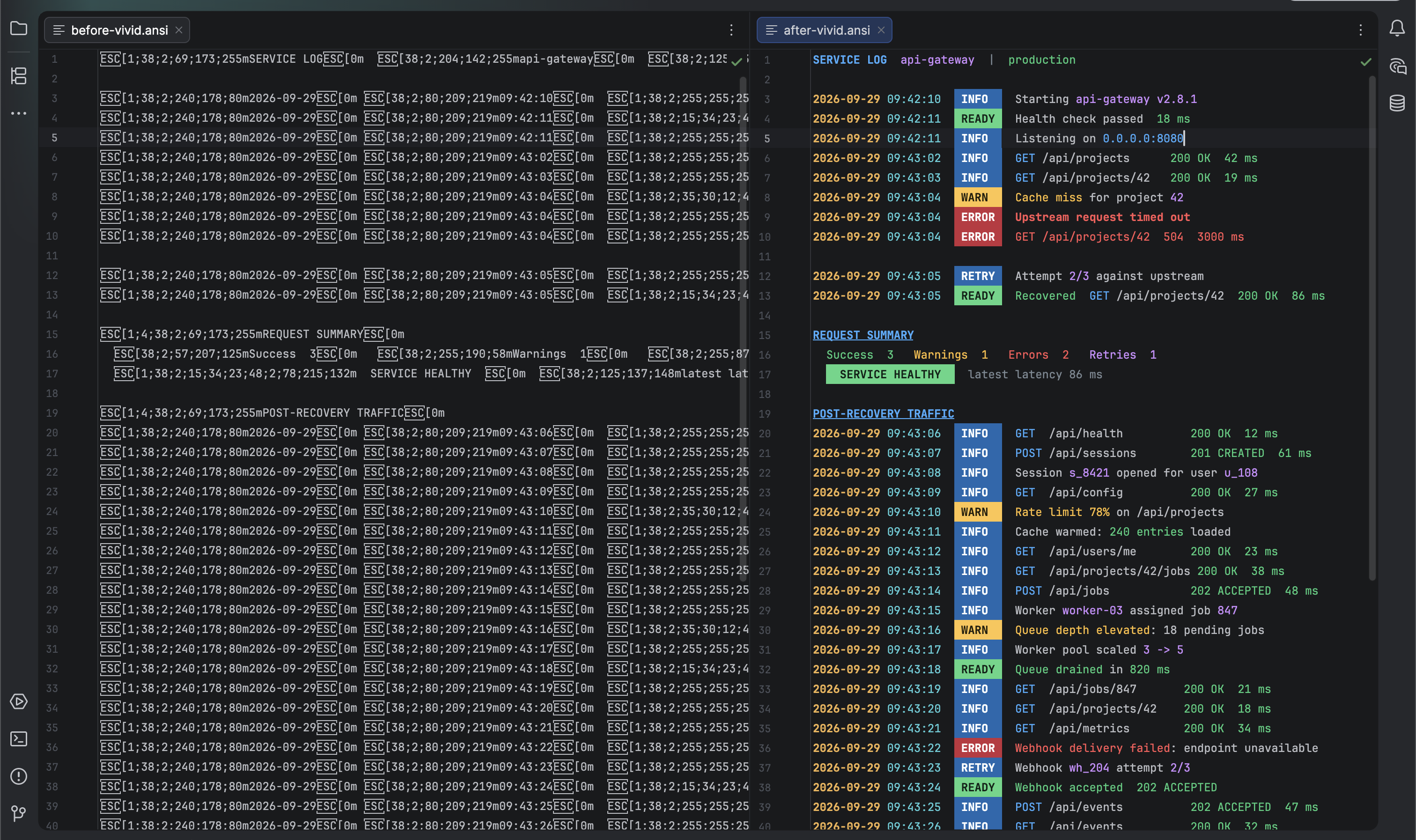
Read ANSI-colored text directly in the editor. ANSIInk hides supported control codes in the rendered view without changing the file, while raw view keeps the original codes available for editing.
Overview
ANSIInk detects ANSI sequences in file content and renders their colors and text styles in normal JetBrains text editors. The underlying file stays unchanged.
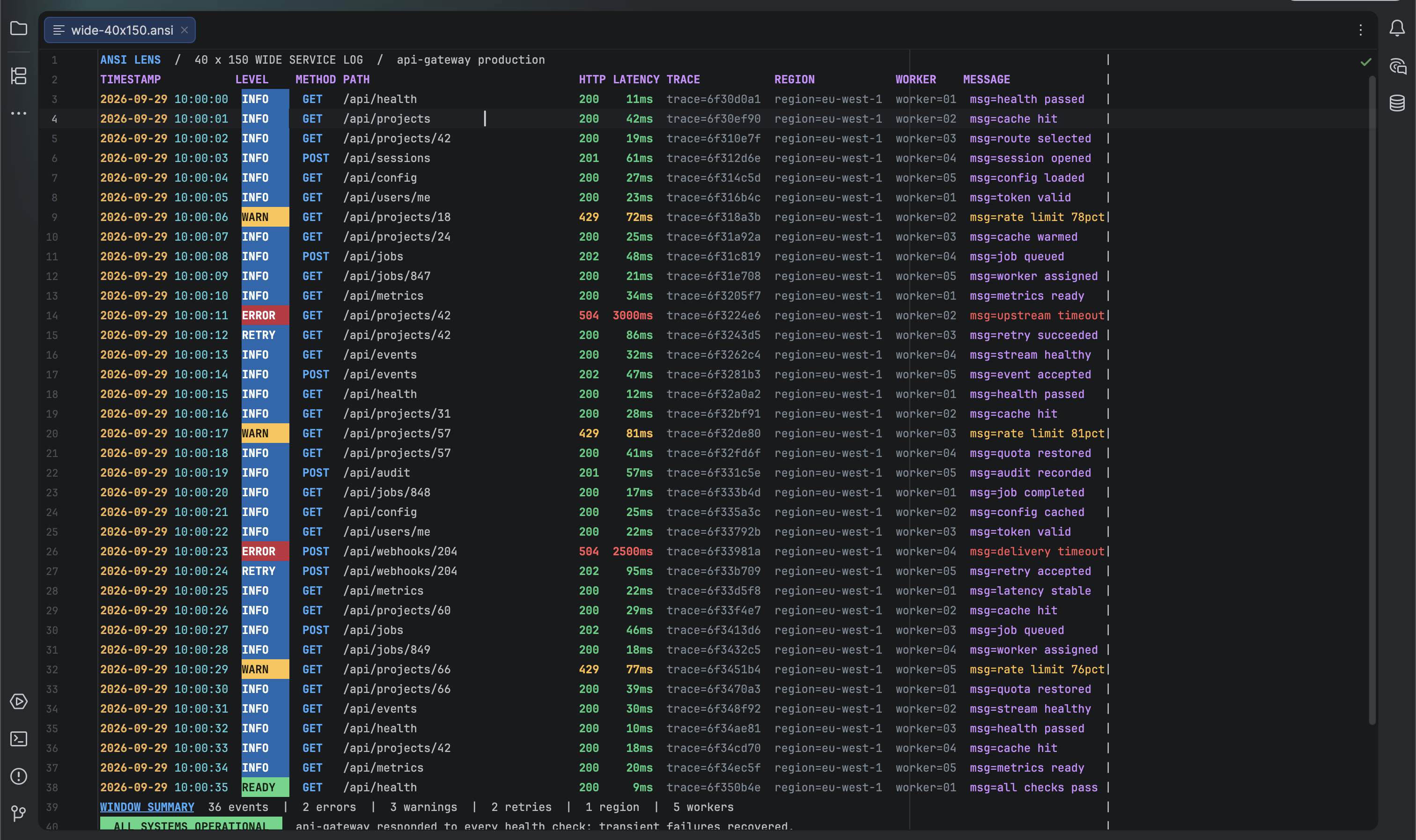
It supports standard, bright, 256-color, and truecolor foreground and background colors, plus bold, italic, underline, and reset. Raw view shows the original codes for editing.
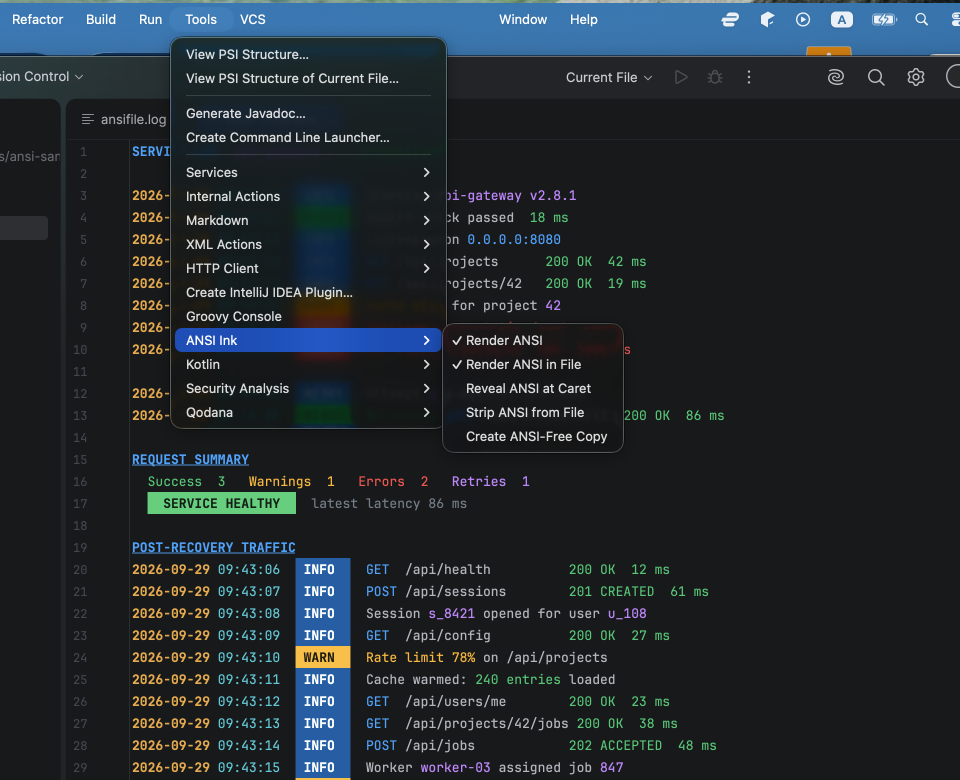
Use Tools > ANSI Ink to control rendering for the project or current file. The same menu offers Strip ANSI from File, an undoable command that removes ANSI CSI sequences from the current file, and Create ANSI-Free Copy, which creates a separate file without changing the original.
Detection checks the beginning of a file. Unsupported commands remain visible, and files opened in the IDE’s Large File Editor are not rendered.
Screenshots